- Table Of Contents
- Introduction
- What Is DLIMS?
- What Is DLIMS License Status Check?
- Who Can Use This Service?
- What You Need Before You Start
- How To Check Driving License By CNIC (Step By Step)
- How To Check By License Number
- What The Status Terms Mean
- Normal Delivery Time Guide
- Common Problems And How To Fix Them
- If The Status Does Not Show Any Result
- How To Check Status Without Internet
- Simple Tips To Get Your Card Faster
- Is The Service Free And Is It Safe?
- Frequently Asked Questions
- Final Words
- About dailypostjob.com
Introduction
A valid driving license proves your right to drive and helps with jobs and travel. This page shows how to use DLIMS License Status to check your card in Punjab. Read the steps, read the status meanings, and follow the fixes for common delays. You will learn how to check license by CNIC and how to act when the system shows a problem.
What Is DLIMS?
DLIMS means Driving License Issuance Management System. Punjab traffic police use this system to store license records. Citizens use the official portal to apply, renew, and view records. The system covers learner licenses, permanent licenses, renewals, duplicates, and smart cards. Use DLIMS Punjab for official info and avoid third-party sites.
Also Read Complete DLIMS Guide: DLIMS Pakistan – Complete Guide For Online Apply, Verification, Tracking & Renewal (2025 Updated)
What Is DLIMS License Status Check?
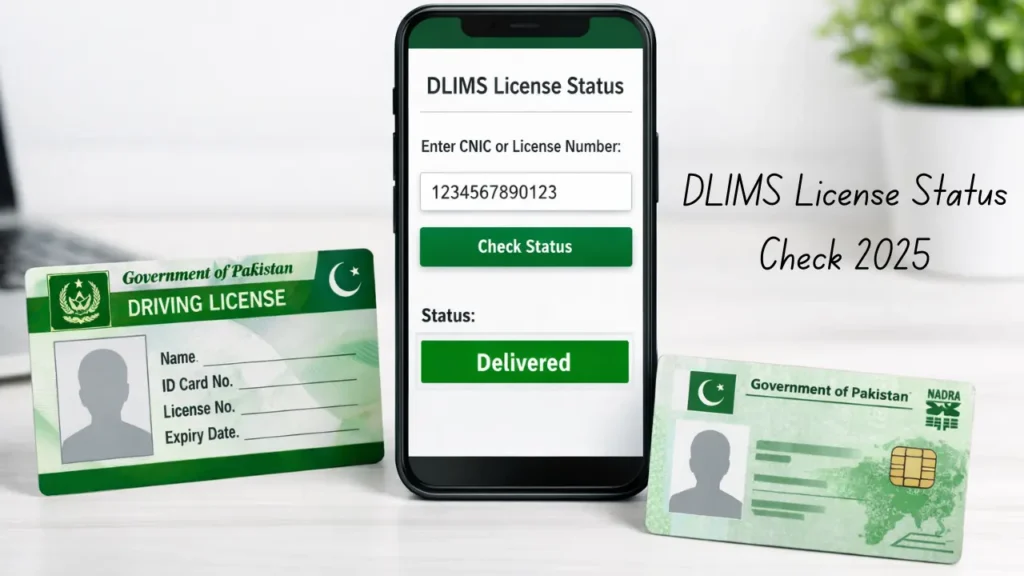
The DLIMS License Status check shows the current stage of your application. The site tells you if staff review your file, if the card prints, if the office sent the card to courier, or if the courier delivered the card. This service saves time and stops repeated visits to the licensing office. Use the official portal for the correct DLIMS status.
Who Can Use This Service?
You can use this service if you applied for:
- A learner license
- A permanent driving license for car or bike
- An LTV or HTV license
- A license renewal
- A duplicate license
- A smart license with QR or chip
If the office entered your record in DLIMS Punjab, the portal will return a result.
Also Read: Learner License Online Apply Punjab – DLIMS Complete Guide 2025
What You Need Before You Start
Keep one of these items ready before you open the portal:
- CNIC number with no spaces or dashes
- Driving license number if you have it
- Application receipt number if the office gave one
Type numbers carefully. One wrong digit gives no result. Save your CNIC and receipt for calls and visits.
How To Check Driving License By CNIC (Step By Step)
Use CNIC if you do not know the license number. Follow these steps.
- Open the official DLIMS Punjab website on your phone or computer.
- Find the link for license verification or status check.
- Choose the CNIC option if the site shows choices.
- Enter your CNIC number with no dashes.
- Enter captcha if the page asks for it.
- Click submit or search.
- Read the result. The page will show name, category, and current stage.
If the page returns no data, wait a full day and try again. If you have a license number, try the license route for more detail.
Also Read Complete Guide: DLIMS Punjab Verification Online – Check Driving License By CNIC 2025
How To Check By License Number
If you have the license number, use this route for better detail. The license number often shows print and dispatch dates.
- Open the DLIMS status page.
- Pick the license number option.
- Enter the full license number exactly.
- Click submit or search.
- Read the detailed result for print and dispatch info.
If the license number returns no record, try CNIC. If neither shows a result, follow the no-result steps below.
What The Status Terms Mean
Here are the common terms and what they mean:
- Under Process — Staff review your file and documents.
- Printed — The office printed the card. The card exists in the office.
- Dispatched — The office gave the card to the courier. Note dispatch date and courier name if shown.
- Delivered — The courier handed the card to the address on file.
When the status shows Dispatched, expect delivery in two to five working days inside the same city. If the status shows Delivered but you have no card, call the courier first, then call the office.
Normal Delivery Time Guide
Delivery time changes by city and season. Use this guide as a rule:
- Learner license: 7 to 14 working days
- Permanent driving license: 15 to 30 working days
- Smart license: 30 to 60 working days in some areas
Public holidays, high demand, or wrong address can increase time. If delivery passes the normal window, follow the problem steps below.
Common Problems And How To Fix Them
Problem: No status result.
Fix: Recheck the CNIC or license number. Try again after 24 hours. Confirm the office accepted your file.
Problem: Delivery delay.
Fix: Call the licensing office and ask for the dispatch date. Then call the courier with your CNIC.
Problem: Wrong name or data.
Fix: Visit the office with original CNIC and proof. Ask staff to correct the record and keep the correction receipt.
Problem: Courier could not deliver.
Fix: Confirm the address with the courier. If the courier returns the card, ask the office for re-dispatch steps.
Problem: Lost or damaged card.
Fix: File a duplicate request in DLIMS. Pay the duplicate fee and track the new request the same way.
Keep screenshots of status pages and payment messages. These proofs help staff and courier find and fix issues faster.
If The Status Does Not Show Any Result
Follow this list in order:
- Recheck the number you typed.
- Remove spaces and dashes.
- Try a different browser or device.
- Clear browser cache and reload the page.
- Wait 24 hours and try again.
- If still no result, visit the licensing office with CNIC and the receipt.
Office staff can read system logs and explain the cause. Stay calm and polite. Staff help faster when you show clear proof.
How To Check Status Without Internet
If you have no internet, use one of these options:
- Visit the nearest traffic licensing office and ask staff to search by CNIC.
- Call the local licensing office and ask for status by CNIC.
- Ask if the office offers SMS updates and register if available.
Bring your receipt and CNIC when you visit. Staff will use DLIMS to give a live update.
Simple Tips To Get Your Card Faster
Use these practical tips to reduce delay:
- Put a full and correct address on the form.
- Keep your phone on and ready for courier calls.
- Write down the application receipt number and keep the receipt.
- Avoid agents who ask for extra money to speed the process.
- Check status after one week rather than every hour.
A clear address and a working phone make delivery easier.
Is The Service Free And Is It Safe?
Yes. The online DLIMS status check on the official portal is free. Do not pay anyone to view your status.
Yes. The system runs under government control. Your information stays safe when you use the official site and avoid unofficial pages.
DLIMS Punjab Verification: https://dailypostjob.com/dlims-punjab-verification-online-by-cnic/
Frequently Asked Questions
Can I check on my phone?
Yes. The DLIMS portal works on phones and computers.
How long after dispatch does delivery take?
Usually two to five working days inside the same city.
What if status says delivered but I did not get the card?
Call the courier first. If they cannot help, visit the licensing office with CNIC and the receipt.
Can I find old license records?
Yes, if the office added the record to DLIMS.
Does this work in other provinces?
This guide focuses on Punjab. Other provinces may use separate systems.
Final Words
Use the official portal to check your DLIMS status and save time. Keep your CNIC and receipt ready. Follow the steps above when a delay or error appears. If the office asks you to come in, take original CNIC and proof. Work with staff and the courier to finish the process.
About Dailypostjob.com
Dailypostjob.com shares guides on jobs and public services for people in Pakistan. If this guide helped you, please share it with family and friends. Your share helps others find correct info and finish their tasks faster.
SEO Tags: Punjab Driving License Online
Also Read Our Useful Article:
Complete Guide to Government Job Portals in Pakistan 2025
How To Avoid Job Application Mistakes In Pakistan 2025
How to Check Merit List & Results for Government Jobs in Pakistan