Table of Contents
- Introduction
- What is DLIMS
- Why verify driving license in Pakistan
- Who can verify a driving license
- What you need before you start
- How to verify driving license online (step by step)
- Verify by CNIC
- Verify by license number
- Save and print verification proof
- Common problems and quick fixes
- Simple tips to avoid delay
- Frequently asked questions
- Conclusion
- About dailypostjob.com
Introduction
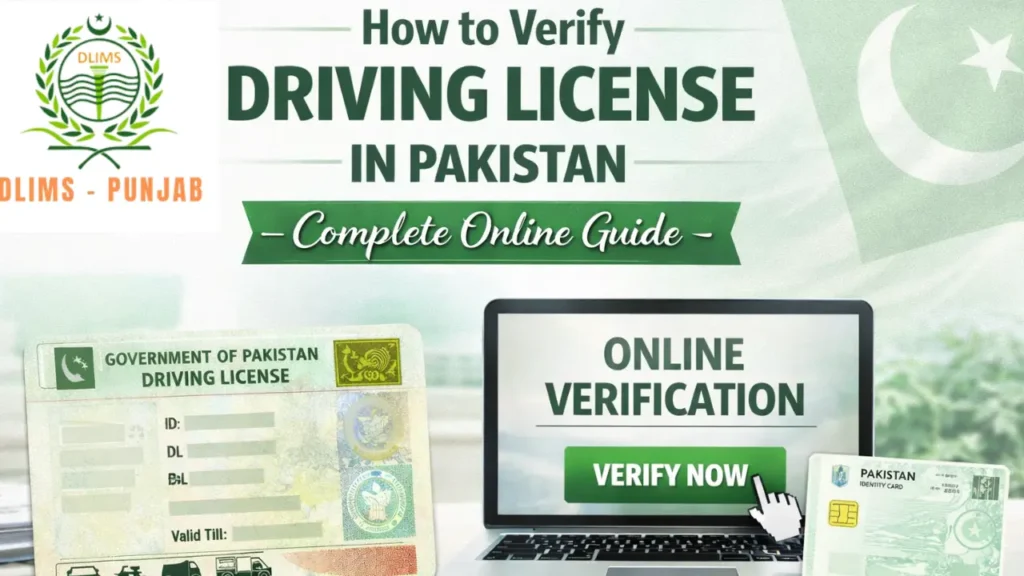
This guide will show how to verify driving license Pakistan using the DLIMS system. The steps are clear and short. You will learn how to check status, how to save proof, and what to do if a problem comes up. Read each step and follow it on the official site.
What is DLIMS
DLIMS is the Driving License Issuance Management System. Punjab traffic staff and other offices use it to keep license records. The system holds details of new licenses, renewals, duplicate cards, and smart cards. It gives a simple online place to check license status and details.
Why verify driving license in Pakistan
Verification gives proof. Employers, banks, or buyers may ask for proof. A quick check can show issue date and validity. It can stop fraud and fake license use. You can avoid trouble at work or when selling a vehicle. A record helps you keep peace of mind.
Also Read: DLIMS License Status | Check Driving License Punjab 2025
Who can verify a driving license
Any person with a record in DLIMS can check. This covers:
- New applicants
- People who renew a license
- Owners of duplicate or smart cards
- Employers who need proof
You do not need to go to the office for a basic check.
What you need before you start
Keep these items ready:
- CNIC number with no dashes
- Or driving license number if you have it
- A phone or a computer with internet
- A way to save a screenshot or PDF
One correct number will give a match. A wrong digit will give no result.
How to verify driving license online (step by step)
Follow these short steps:
- Open the official DLIMS Punjab website in your browser.
- Find the option that says license verification or license status.
- Choose CNIC or license number option.
- Enter the number with no spaces or dashes.
- Click search or submit.
- The system will show the record on the screen.
- Save a screenshot or use the print to PDF option.
Do each step slowly. If you get no result, repeat step three and four with care.
Verify by CNIC
CNIC is the easiest method. You do not need the license number. Use the full ID number and remove any dashes. After submit, the page will show name, issue date, expiry, and status. The status may read under process, printed, dispatched, or delivered. If you see printed or dispatched, wait few days for delivery.
Also read: DLIMS Punjab Verification Online – Check Driving License By CNIC 2025
Verify by license number
If you have the license number, you can use it for a faster check. The license number sometimes shows more detail. It may show the print date and dispatch tracking. Enter the full license number from your receipt. If the system finds a match, save the data for proof.
Save and print verification proof
After the result shows, save it. Use one of these ways:
- Take a clear screenshot and save it on your phone.
- Use the browser print function and save as PDF.
- Email the screenshot to yourself for record.
Keep the proof with job papers or sale documents. A saved copy helps in case of delivery delay or dispute.
Common problems and quick fixes
Problem: No result shows.
Fix: Check the number for a typo. Remove dashes and spaces. Try again after 24 hours.
Problem: Status stays under process for long.
Fix: Wait a few days. Call your local traffic office if delay goes beyond normal time.
Problem: Wrong details on record.
Fix: Visit the traffic office with original documents and ask for correction.
Problem: Card shows dispatched but not delivered.
Fix: Call the courier with your CNIC. If no help, visit the issuing office.
Keep your tone calm when you speak to staff. Polite requests go faster.
Simple tips to avoid delay
- Enter your address in full when you apply.
- Keep phone lines open for courier calls.
- Save the receipt number and license number.
- Check status after a few days, not many times per day.
- Do not use unofficial agents. They ask money and cause trouble.
These steps cut stress and save time.
DLIMS Complete Guide: DLIMS Pakistan – Complete Guide For Online Apply, Verification, Tracking & Renewal (2025 Updated)
FAQs about verify driving license Pakistan
Q: Can I check status on my phone?
A: Yes. The DLIMS site works on mobile browsers.
Q: Is online check free?
A: Yes. The official check is free. Do not pay anyone for a simple status check.
Q: How long after dispatch does delivery take?
A: In most cities delivery takes two to five working days.
Q: Which provinces use DLIMS?
A: This guide focuses on Punjab. Other provinces may use a similar system. Check local sites.
Q: Can employer verify for me?
A: Yes. They can use CNIC or license number to verify.
Conclusion
Checking your driving license online is simple and safe. Use the official DLIMS site. Keep your CNIC or license number ready. Save proof after every check. If problems come, contact your local office with a calm voice. Follow the simple tips to avoid delay and to keep your records clean.
About dailypostjob.com
If this guide helped you, please share it with friends and family. Visit dailypostjob.com for more clear guides on jobs, public services, and study help in Pakistan. Your share can help others find quick, correct information and save time.